
You can use document creation software to create, customize,
edit, and share text-based files. This type of system offers a host
of helpful features to users. These features include document
security, workflow automation, document indexing, customization,
and other task-specific document
creation tools[1].
What benefits can you expect by investing in document creation
software[2]? First, you can utilize
the tool as a central repository where you can store all your
important files and documents. This enables you to go paperless and
enhance efficiency and productivity. Plus, these systems are secure
and you don’t need to worry about content security. Cloud-based
document creation solutions offer anywhere, anytime access and you
can easily integrate them with the other business software
platforms you use. Track the latest document
management trends[3]
to make the best use of this product.
To help you select the best-fitting document creation platform
for your needs, we analyze the key features and benefits of
Templafy as well as the top 10 alternatives to Templafy in this
article.
What is Templafy?

Templafy enables you to manage, update, and share brand assets
and business document templates in your company from anywhere, and
on any device. Compliance, Communications, and IT teams can trust
and use this system freely.
You can effortlessly create documents and presentations with
Templafy and use the task panel to access approved content. In
addition, the software uses your organization’s document templates
to promote your corporate look across communication materials such
as contracts, presentations, emails, and letters. This app is ideal
for businesses with multiple brands, languages, and branches. It is
used by leading global brands such as Capgemini, SDC, and
Maersk.
Benefits of Templafy
- It scales easily to the requirements of companies of all
sizes. - It solves the challenges faced by different business units in
handling documents. - Departments can ensure all documents are created in consistent
format with up-to-date company content. - Marketing managers can keep the company on-brand
internally. - It streamlines document creation processes utilizing best
practice content. - It makes it easy for your content assets to comply with your
organization’s legal and brand guidelines.
If you wish to look at other solutions, don’t go away. We also
analyze the main features and benefits of the top 10 alternatives
to Templafy. You get useful suggestions as to why you should
consider the alternative platform instead of Templafy and vice
versa.
Top 10 Alternatives
to Templafy
1. PDFelement
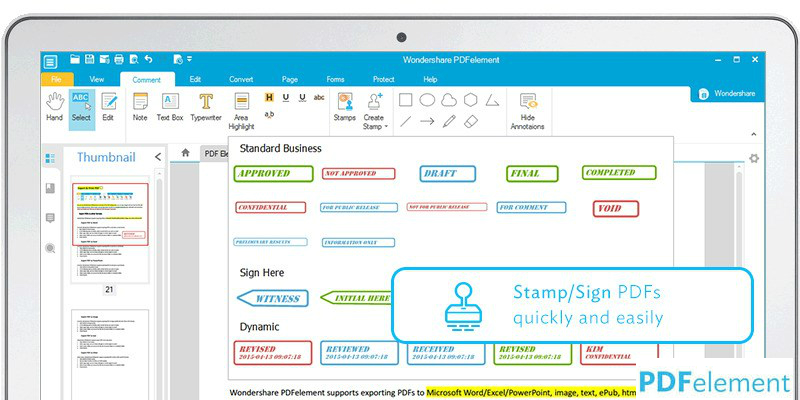
PDFelement is a robust yet easy-to-use PDF editing solution that
you can use to create, secure, and organize your files. It offers
impeccable performance, full-featured modules, and flexible
pricing, and is therefore used by many Fortune 500 behemoths. The
product has been designed for usability and gives you complete
control over your PDF content. Customization is a major strong
point as you can easily do modifications without impacting the
style or formatting of your documents. The interface is simple and
fully-optimized UX designs make navigation effortless. For more
good options, you can browse these PDFelement
alternatives[4] here.
Why use PDFelement instead of Templafy?
- You can easily create and combine PDF files.
- You can extract and convert PDF documents.
- It offers Optical Character Recognition (OCR) and robust
editing tools.
Why use Templafy instead of PDFelement?
- You can streamline document creation for improved
productivity. - Enhance productivity by setting automated processes to create
daily documents such as memos, contracts, and quotes. - It integrates easily with digital asset management software to
bring all your approved digital assets into your office
systems.
2. Zoho Docs

We have included Zoho Docs in this list of top 10 alternatives
to Templafy because it is designed for efficient document
management. Besides documents, you can also use the app to manage
presentations and spreadsheets in one place. You can access the
system from anywhere, with any internet-enabled device. In short,
Zoho Docs makes collaboration and file sharing more productive and
easier. Top features include: admin console, mobility, task
management, file synchronization, and integrations. If you think it
is too basic, peruse these excellent Zoho Docs
alternatives[5] here.
Why use Zoho Docs instead of Templafy?
- You can share files without fretting about security.
- Collaborate and accelerate workflows.
- Use multi-level folder structuring to organize your files
effectively.
Why use Templafy instead of Zoho Docs?
- You can personalize the system for each individual user.
- Create documents with up-to-date personal and professional info
already included in the document. - You will always use the latest version of best practice
documents.
3. Quip
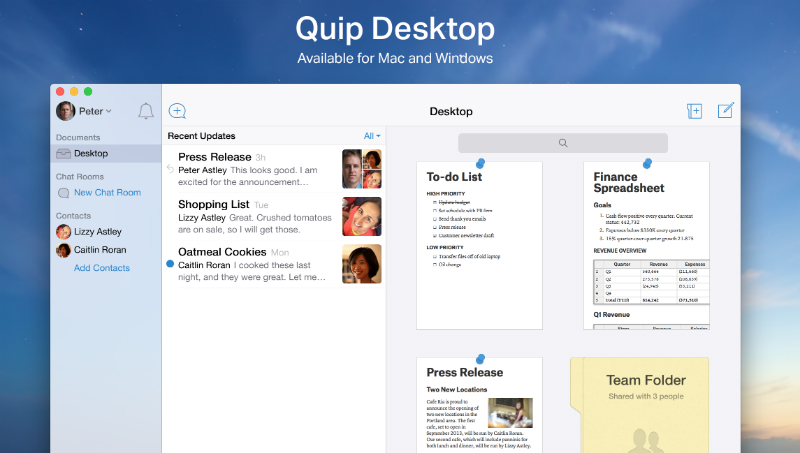
Quip is a simple application that can be used by teams to create
living documents. It integrates spreadsheets, task lists, docs, and
chat in a single compact system. This enables team members to
collaborate easily and effectively. Quip offers the features
required to create and edit lists, spreadsheets, and documents in
the cloud, and it also provides an integrated instant messaging
tool. With this platform, you and your team members don’t
need to deal with an unending trail of document versions, chats,
meetings, and emails. You can easily collaborate and communicate
with Windows, Mac, Android, and iOS devices. If you wish to scout
for other solutions, peruse these viable Quip alternatives[6] here.
Why use Quip instead of Templafy?
- You can embed full-featured spreadsheets that come with support
for more than 400 functions. - Use customizable mobile keyboards to edit your documents from
any device. - You can easily import your documents from a range of sources
including Google Docs, Box, Google Drive, Evernote, Dropbox, and
others.
Why use Templafy instead of Quip?
- It integrates smoothly with Sharepoint, Google Docs, MS Office
and other leading document apps. - You can locally install add-ons in PowerPoint, Excel, and Word
to accelerate document creation. - You can access approved and professional-looking template
designs when creating your work.
4. Foxit PhantomPDF
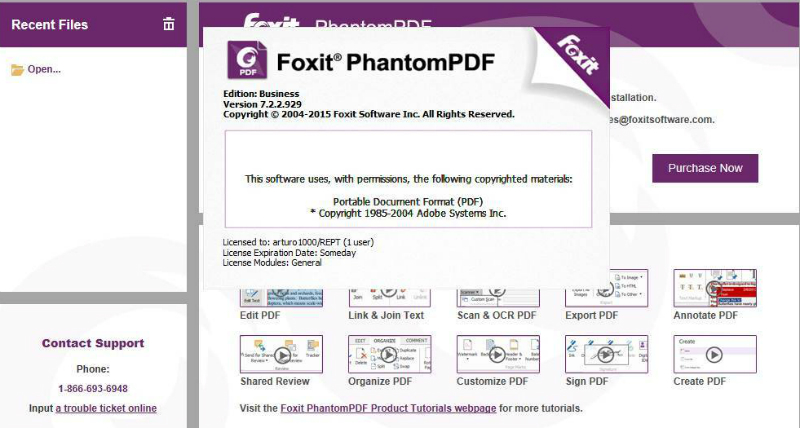
Foxit PhantomPDF is a full-featured PDF solution designed for
the needs of individual users as well as businesses. It provides a
user-friendly and intuitive interface, and a range of advanced PDF
security and editing tools. The app has a familiar interface which
makes implementation and adoption seamless and quick. With Foxit
PhantomPDF, you can create, comment, edit, share and collaborate,
organize, secure, scan, export, and sign PDF forms and files. In
addition, you can convert a range of file formats to PDF and vice
versa. The app can convert PDF files to Excel, Word and other
leading document formats. Finally, the vendor offers multi-language
support which makes it an ideal tool for users in other nations.
For more good choices, peruse these Foxit
PhantomPDF alternatives[7]
here.
Why use Foxit PhantomPDF instead of
Templafy?
- It offers advanced text editing and object editing tools.
- It offers support for 41 languages.
- It includes OCR technology that enables you to work on and edit
scanned documents.
Why use Templafy instead of Foxit
PhantomPDF?
- Its brand checker tool notifies you if any document aspects are
off brand and provides tips to correct this. - It offers an email signature solution and a helpful library of
email templates within Outlook. - Centralized location and remote compatibility means all files
get updated in real time.
5. DesignBold
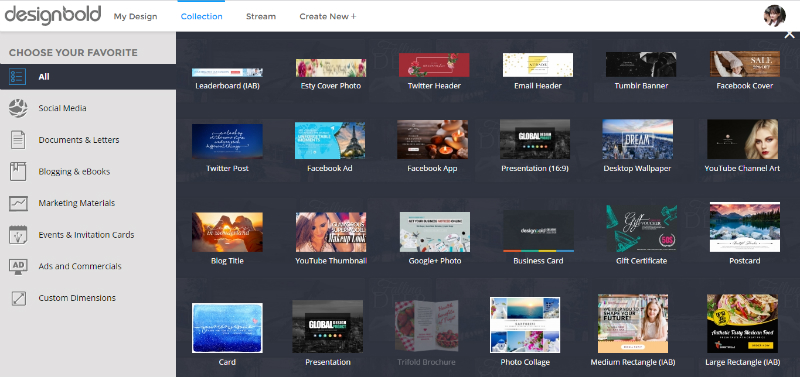
DesignBold is a robust and user-friendly freemium online design
solution that you can use to create attractive visual content for
digital or print media quickly and easily. With this tool, you can
create appealing documents, images, and graphics without any
experience or expertise in using design software. It offers a vast
library of editable design templates for your projects. You can
find a suitable pre-designed template to create party invitations,
Instagram posts, charts, infographics, and more. In addition, you
can use the app’s drag-and-drop interface to easily customize and
tailor the templates for your needs. If you wish, you can develop
your own templates from scratch. For more good options, check out
these DesignBold
alternatives[8] here.
Why use DesignBold instead of Templafy?
- You can create professionally crafted images and appealing
designs for web content use. - Select from more than 40 million premium vectors, images, and
photos using the sophisticated keyword search feature. - Plus, you get access to over 300,000 free stock photos.
Why use Templafy instead of DesignBold?
- It integrates with your chosen authentication service and all
access needs authorization. - You can set permission levels to control document access across
your company. - All your brand assets are stored in a single place enabling
employees to use correct templates.
6. Fotor
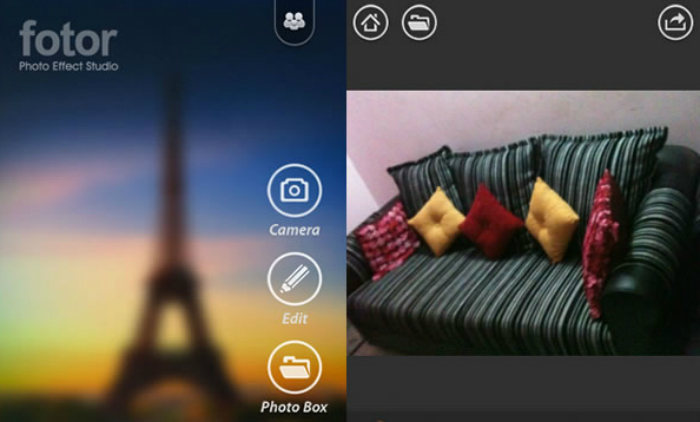
Fotor is an online photo editor that professional as well as
recreational photographers can utilize to edit images, implement
effects, apply filters, and more. The app’s free and paid editions
are both user-friendly even for novices. Fotor offers a
straightforward and fast design, and comes with advanced photo
editing methods. This simple and intuitive application enables you
to challenge your creativity, achieve great results, and do
stunning things with your images without having extensive graphic
design and photo editing skills. The best part is the program is
very affordable with prices starting at just $3.33/month. For more
good options, browse these Fotor
alternatives[9] here.
Why use Fotor instead of Templafy?
- You don’t need to be a Photoshop expert to effectively use this
app. - It is loaded with basic as well as premium features.
- It offers more than 80 attractive collage templates.
Why use Templafy instead of Fotor?
- Select your templates and get up to speed in four fast
steps. - You can send bulk email to all or choose users to notify
updated or new templates. - There’s no need for installation or offline syncing as your
files are saved in the cloud and updated in real time.
7. Adobe Acrobat
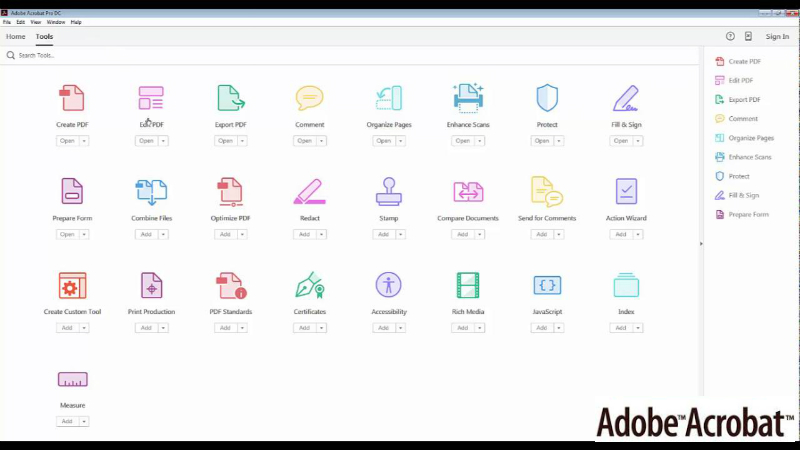
Adobe Acrobat DC (Document Cloud) is a full-featured PDF
platform that offers a wide range of capabilities. You can use it
to create manage, convert, sign, and send PDF documents on any
device. The Standard version is compatible with Windows desktops
and devices and the Pro edition works on both Mac and Windows
devices. With Adobe Acrobat DC, you can convert any paper document
into a PDF file and edit it easily on any device depending on the
edition you have subscribed to. Plus, you can easily convert PDFs
to MS office formats like PowerPoint, Excel, and Word. Finally, you
can post feedback and comments via a touch-friendly interface,
compare files side by side, edit information in scanned paper
printouts, and do more. If you are not satisfied with the features,
here are excellent Adobe Acrobat
alternatives[10].
Why use Adobe Acrobat instead of Templafy?
- You can create smart PDF files that you can search, protect,
sign, share, and edit. - Adobe Acrobat PDFs are designed to suit any type of display or
screen. - It makes document storing and sharing secure and simple with
its MS OneDrive and Nox integrations.
Why use Templafy instead of Adobe Acrobat?
- You can future-proof your document templates.
- It’s in tune with Google Drive and Office 365 to provide you
the latest version. - It can be easily adapted to your legal, location, language, and
design needs.
8. Conga Composer
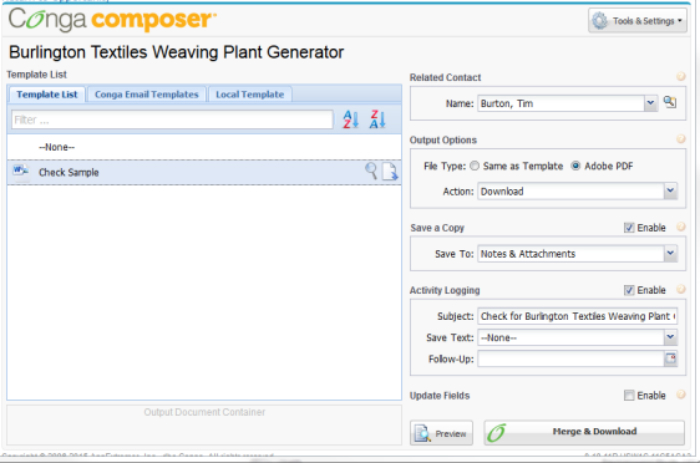
Conga Composer is a Salesforce app that you can utilize to
create presentations, documents, contracts, reports, policy
documents, and more. All these documents can be personalized for
particular audiences using popular formats such as PDF, Excel,
HTML, PowerPoint, and others. This unique combination of document
creation tools and formats makes Conga Composer an effective
solution that helps to automate processes and workflows. Plus, its
user-friendly interface helps you save time while navigating. This
application is widely used as a CRM document manager by numerous
financial companies, but the platform is versatile enough for
effective application in other industries and sectors. You can also
consider these viable Conga Composer
alternatives[11] here.
Why use Conga Composer instead of Templafy?
- You can easily merge data from multiple documents.
- It integrates smoothly with third party e-signature solutions
like DocuSign. - It also offers Adobe and Google Drive integration.
Why use Templafy instead of Conga Composer?
- You can dress up its UI with your corporate look.
- It offers document compliance management feature.
- It provides a digital asset management (DAM) tool.
9. FormSwift
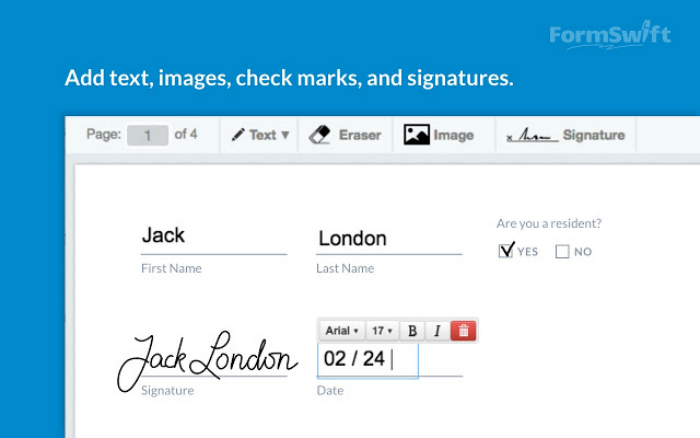
You can use FormSwift to easily create, sign, edit, and
collaborate on forms and documents. The vendor offers a vast
library of over 500 document forms and templates. Or, you can
upload your own files and use the app’s tools to edit them. There
are three main functions: First, create a document by choosing an
appropriate template, then fill out a questionnaire, finally,
export the completed file in PDF or Word format. You can utilize
the built-in PDF editor to upload and edit PDFs. Insert checkmarks,
images, and text, and save and update the PDF anytime. Finally, you
can easily affix electronic signatures on documents quickly and
easily. For more good choices, here are FormSwift
alternatives[12].
Why use FormSwift instead of Templafy?
- It is a simple and affordable e-signature service.
- You can easily create and sign documents.
- It offers templates for a range of small business legal forms
like loan agreements, service contracts, bill of sales, and
confidentiality agreements.
Why use Templafy instead of FormSwift?
- You can upload templates to Templafy and integrate them with
your digital asset management solution. - It presents on-brand and up-to-date contracts, emails,
presentations, letters, and more from within office
applications. - Implement a consistent look in all your corporate documents
across business units.
10. UltraEdit
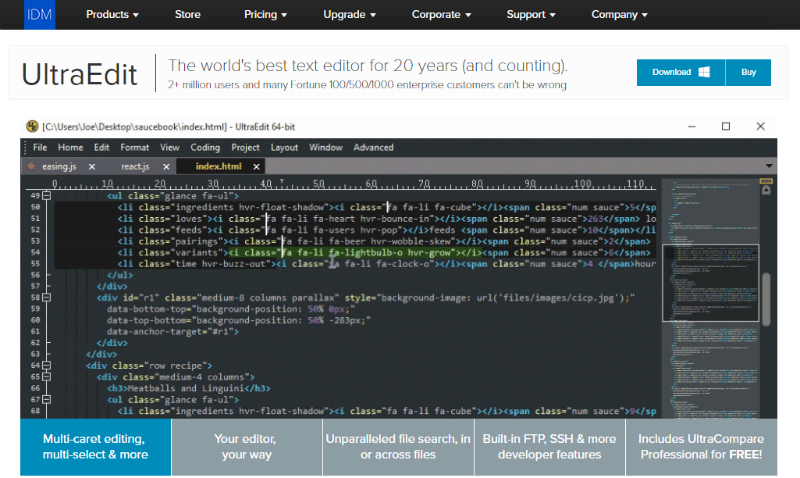
UltraEdit is designed for the needs of a range of users such as
researchers, medical practitioners, publishers, editors, technical
writers, system administrators, database managers, and web
developers. It is chiefly a disk-based text editor that supports
Windows, Linux, and OS X. In addition, the platform offers robust
web development features for programmers. This text and code editor
supports all leading programming languages and can easily manage
large files bigger than 4 GB in size. It functions as web design
software and hex editor because of its coherent internal
organization, intuitive layout, and customization options. You can
also peruse these viable UltraEdit
alternatives[13] here.
Why use UltraEdit instead of Templafy?
- It offers web development and programming functionality.
- Its text editing tool supports multi-selection and multi-caret
editing. - It provides a custom environment layout.
Why use Templafy instead of UltraEdit
- You can streamline document creation for enhanced
productivity. - You can easily customize the platform for each individual
user. - It integrates seamlessly with Google Docs, Sharepoint, MS
Office and other popular document applications.
Category: B2B News[14]
Tags: Document Creation Software[15]
References
- ^
document creation tools
(viennaadvantage.com) - ^
document creation software
(document-creation.financesonline.com) - ^
document management trends
(axerosolutions.com) - ^
PDFelement alternatives
(alternatives.financesonline.com) - ^
Zoho Docs alternatives
(alternatives.financesonline.com) - ^
Quip alternatives
(alternatives.financesonline.com) - ^
Foxit PhantomPDF alternatives
(alternatives.financesonline.com) - ^
DesignBold alternatives
(alternatives.financesonline.com) - ^
Fotor alternatives
(alternatives.financesonline.com) - ^
Adobe Acrobat alternatives
(alternatives.financesonline.com) - ^
Conga Composer alternatives
(alternatives.financesonline.com) - ^
FormSwift alternatives
(alternatives.financesonline.com) - ^
UltraEdit alternatives
(alternatives.financesonline.com) - ^
B2B News
(financesonline.com) - ^
Document Creation
Software (financesonline.com)
You can use document creation software to create, customize,
edit, and share text-based files. This type of system offers a host
of helpful features to users. These features include document
security, workflow automation, document indexing, customization,
and other task-specific document
creation tools[1].
What benefits can you expect by investing in document creation
software[2]? First, you can utilize
the tool as a central repository where you can store all your
important files and documents. This enables you to go paperless and
enhance efficiency and productivity. Plus, these systems are secure
and you don’t need to worry about content security. Cloud-based
document creation solutions offer anywhere, anytime access and you
can easily integrate them with the other business software
platforms you use. Track the latest document
management trends[3]
to make the best use of this product.
To help you select the best-fitting document creation platform
for your needs, we analyze the key features and benefits of
Templafy as well as the top 10 alternatives to Templafy in this
article.
What is Templafy?
Templafy enables you to manage, update, and share brand assets
and business document templates in your company from anywhere, and
on any device. Compliance, Communications, and IT teams can trust
and use this system freely.
You can effortlessly create documents and presentations with
Templafy and use the task panel to access approved content. In
addition, the software uses your organization’s document templates
to promote your corporate look across communication materials such
as contracts, presentations, emails, and letters. This app is ideal
for businesses with multiple brands, languages, and branches. It is
used by leading global brands such as Capgemini, SDC, and
Maersk.
Benefits of Templafy
- It scales easily to the requirements of companies of all
sizes. - It solves the challenges faced by different business units in
handling documents. - Departments can ensure all documents are created in consistent
format with up-to-date company content. - Marketing managers can keep the company on-brand
internally. - It streamlines document creation processes utilizing best
practice content. - It makes it easy for your content assets to comply with your
organization’s legal and brand guidelines.
If you wish to look at other solutions, don’t go away. We also
analyze the main features and benefits of the top 10 alternatives
to Templafy. You get useful suggestions as to why you should
consider the alternative platform instead of Templafy and vice
versa.
Top 10 Alternatives
to Templafy
1. PDFelement
PDFelement is a robust yet easy-to-use PDF editing solution that
you can use to create, secure, and organize your files. It offers
impeccable performance, full-featured modules, and flexible
pricing, and is therefore used by many Fortune 500 behemoths. The
product has been designed for usability and gives you complete
control over your PDF content. Customization is a major strong
point as you can easily do modifications without impacting the
style or formatting of your documents. The interface is simple and
fully-optimized UX designs make navigation effortless. For more
good options, you can browse these PDFelement
alternatives[4] here.
Why use PDFelement instead of Templafy?
- You can easily create and combine PDF files.
- You can extract and convert PDF documents.
- It offers Optical Character Recognition (OCR) and robust
editing tools.
Why use Templafy instead of PDFelement?
- You can streamline document creation for improved
productivity. - Enhance productivity by setting automated processes to create
daily documents such as memos, contracts, and quotes. - It integrates easily with digital asset management software to
bring all your approved digital assets into your office
systems.
2. Zoho Docs
We have included Zoho Docs in this list of top 10 alternatives
to Templafy because it is designed for efficient document
management. Besides documents, you can also use the app to manage
presentations and spreadsheets in one place. You can access the
system from anywhere, with any internet-enabled device. In short,
Zoho Docs makes collaboration and file sharing more productive and
easier. Top features include: admin console, mobility, task
management, file synchronization, and integrations. If you think it
is too basic, peruse these excellent Zoho Docs
alternatives[5] here.
Why use Zoho Docs instead of Templafy?
- You can share files without fretting about security.
- Collaborate and accelerate workflows.
- Use multi-level folder structuring to organize your files
effectively.
Why use Templafy instead of Zoho Docs?
- You can personalize the system for each individual user.
- Create documents with up-to-date personal and professional info
already included in the document. - You will always use the latest version of best practice
documents.
3. Quip
Quip is a simple application that can be used by teams to create
living documents. It integrates spreadsheets, task lists, docs, and
chat in a single compact system. This enables team members to
collaborate easily and effectively. Quip offers the features
required to create and edit lists, spreadsheets, and documents in
the cloud, and it also provides an integrated instant messaging
tool. With this platform, you and your team members don’t
need to deal with an unending trail of document versions, chats,
meetings, and emails. You can easily collaborate and communicate
with Windows, Mac, Android, and iOS devices. If you wish to scout
for other solutions, peruse these viable Quip alternatives[6] here.
Why use Quip instead of Templafy?
- You can embed full-featured spreadsheets that come with support
for more than 400 functions. - Use customizable mobile keyboards to edit your documents from
any device. - You can easily import your documents from a range of sources
including Google Docs, Box, Google Drive, Evernote, Dropbox, and
others.
Why use Templafy instead of Quip?
- It integrates smoothly with Sharepoint, Google Docs, MS Office
and other leading document apps. - You can locally install add-ons in PowerPoint, Excel, and Word
to accelerate document creation. - You can access approved and professional-looking template
designs when creating your work.
4. Foxit PhantomPDF
Foxit PhantomPDF is a full-featured PDF solution designed for
the needs of individual users as well as businesses. It provides a
user-friendly and intuitive interface, and a range of advanced PDF
security and editing tools. The app has a familiar interface which
makes implementation and adoption seamless and quick. With Foxit
PhantomPDF, you can create, comment, edit, share and collaborate,
organize, secure, scan, export, and sign PDF forms and files. In
addition, you can convert a range of file formats to PDF and vice
versa. The app can convert PDF files to Excel, Word and other
leading document formats. Finally, the vendor offers multi-language
support which makes it an ideal tool for users in other nations.
For more good choices, peruse these Foxit
PhantomPDF alternatives[7]
here.
Why use Foxit PhantomPDF instead of
Templafy?
- It offers advanced text editing and object editing tools.
- It offers support for 41 languages.
- It includes OCR technology that enables you to work on and edit
scanned documents.
Why use Templafy instead of Foxit
PhantomPDF?
- Its brand checker tool notifies you if any document aspects are
off brand and provides tips to correct this. - It offers an email signature solution and a helpful library of
email templates within Outlook. - Centralized location and remote compatibility means all files
get updated in real time.
5. DesignBold
DesignBold is a robust and user-friendly freemium online design
solution that you can use to create attractive visual content for
digital or print media quickly and easily. With this tool, you can
create appealing documents, images, and graphics without any
experience or expertise in using design software. It offers a vast
library of editable design templates for your projects. You can
find a suitable pre-designed template to create party invitations,
Instagram posts, charts, infographics, and more. In addition, you
can use the app’s drag-and-drop interface to easily customize and
tailor the templates for your needs. If you wish, you can develop
your own templates from scratch. For more good options, check out
these DesignBold
alternatives[8] here.
Why use DesignBold instead of Templafy?
- You can create professionally crafted images and appealing
designs for web content use. - Select from more than 40 million premium vectors, images, and
photos using the sophisticated keyword search feature. - Plus, you get access to over 300,000 free stock photos.
Why use Templafy instead of DesignBold?
- It integrates with your chosen authentication service and all
access needs authorization. - You can set permission levels to control document access across
your company. - All your brand assets are stored in a single place enabling
employees to use correct templates.
6. Fotor
Fotor is an online photo editor that professional as well as
recreational photographers can utilize to edit images, implement
effects, apply filters, and more. The app’s free and paid editions
are both user-friendly even for novices. Fotor offers a
straightforward and fast design, and comes with advanced photo
editing methods. This simple and intuitive application enables you
to challenge your creativity, achieve great results, and do
stunning things with your images without having extensive graphic
design and photo editing skills. The best part is the program is
very affordable with prices starting at just $3.33/month. For more
good options, browse these Fotor
alternatives[9] here.
Why use Fotor instead of Templafy?
- You don’t need to be a Photoshop expert to effectively use this
app. - It is loaded with basic as well as premium features.
- It offers more than 80 attractive collage templates.
Why use Templafy instead of Fotor?
- Select your templates and get up to speed in four fast
steps. - You can send bulk email to all or choose users to notify
updated or new templates. - There’s no need for installation or offline syncing as your
files are saved in the cloud and updated in real time.
7. Adobe Acrobat
Adobe Acrobat DC (Document Cloud) is a full-featured PDF
platform that offers a wide range of capabilities. You can use it
to create manage, convert, sign, and send PDF documents on any
device. The Standard version is compatible with Windows desktops
and devices and the Pro edition works on both Mac and Windows
devices. With Adobe Acrobat DC, you can convert any paper document
into a PDF file and edit it easily on any device depending on the
edition you have subscribed to. Plus, you can easily convert PDFs
to MS office formats like PowerPoint, Excel, and Word. Finally, you
can post feedback and comments via a touch-friendly interface,
compare files side by side, edit information in scanned paper
printouts, and do more. If you are not satisfied with the features,
here are excellent Adobe Acrobat
alternatives[10].
Why use Adobe Acrobat instead of Templafy?
- You can create smart PDF files that you can search, protect,
sign, share, and edit. - Adobe Acrobat PDFs are designed to suit any type of display or
screen. - It makes document storing and sharing secure and simple with
its MS OneDrive and Nox integrations.
Why use Templafy instead of Adobe Acrobat?
- You can future-proof your document templates.
- It’s in tune with Google Drive and Office 365 to provide you
the latest version. - It can be easily adapted to your legal, location, language, and
design needs.
8. Conga Composer
Conga Composer is a Salesforce app that you can utilize to
create presentations, documents, contracts, reports, policy
documents, and more. All these documents can be personalized for
particular audiences using popular formats such as PDF, Excel,
HTML, PowerPoint, and others. This unique combination of document
creation tools and formats makes Conga Composer an effective
solution that helps to automate processes and workflows. Plus, its
user-friendly interface helps you save time while navigating. This
application is widely used as a CRM document manager by numerous
financial companies, but the platform is versatile enough for
effective application in other industries and sectors. You can also
consider these viable Conga Composer
alternatives[11] here.
Why use Conga Composer instead of Templafy?
- You can easily merge data from multiple documents.
- It integrates smoothly with third party e-signature solutions
like DocuSign. - It also offers Adobe and Google Drive integration.
Why use Templafy instead of Conga Composer?
- You can dress up its UI with your corporate look.
- It offers document compliance management feature.
- It provides a digital asset management (DAM) tool.
9. FormSwift
You can use FormSwift to easily create, sign, edit, and
collaborate on forms and documents. The vendor offers a vast
library of over 500 document forms and templates. Or, you can
upload your own files and use the app’s tools to edit them. There
are three main functions: First, create a document by choosing an
appropriate template, then fill out a questionnaire, finally,
export the completed file in PDF or Word format. You can utilize
the built-in PDF editor to upload and edit PDFs. Insert checkmarks,
images, and text, and save and update the PDF anytime. Finally, you
can easily affix electronic signatures on documents quickly and
easily. For more good choices, here are FormSwift
alternatives[12].
Why use FormSwift instead of Templafy?
- It is a simple and affordable e-signature service.
- You can easily create and sign documents.
- It offers templates for a range of small business legal forms
like loan agreements, service contracts, bill of sales, and
confidentiality agreements.
Why use Templafy instead of FormSwift?
- You can upload templates to Templafy and integrate them with
your digital asset management solution. - It presents on-brand and up-to-date contracts, emails,
presentations, letters, and more from within office
applications. - Implement a consistent look in all your corporate documents
across business units.
10. UltraEdit
UltraEdit is designed for the needs of a range of users such as
researchers, medical practitioners, publishers, editors, technical
writers, system administrators, database managers, and web
developers. It is chiefly a disk-based text editor that supports
Windows, Linux, and OS X. In addition, the platform offers robust
web development features for programmers. This text and code editor
supports all leading programming languages and can easily manage
large files bigger than 4 GB in size. It functions as web design
software and hex editor because of its coherent internal
organization, intuitive layout, and customization options. You can
also peruse these viable UltraEdit
alternatives[13] here.
Why use UltraEdit instead of Templafy?
- It offers web development and programming functionality.
- Its text editing tool supports multi-selection and multi-caret
editing. - It provides a custom environment layout.
Why use Templafy instead of UltraEdit
- You can streamline document creation for enhanced
productivity. - You can easily customize the platform for each individual
user. - It integrates seamlessly with Google Docs, Sharepoint, MS
Office and other popular document applications.
Category: B2B News[14]
Tags: Document Creation Software[15]
References
- ^
document creation tools
(viennaadvantage.com) - ^
document creation software
(document-creation.financesonline.com) - ^
document management trends
(axerosolutions.com) - ^
PDFelement alternatives
(alternatives.financesonline.com) - ^
Zoho Docs alternatives
(alternatives.financesonline.com) - ^
Quip alternatives
(alternatives.financesonline.com) - ^
Foxit PhantomPDF alternatives
(alternatives.financesonline.com) - ^
DesignBold alternatives
(alternatives.financesonline.com) - ^
Fotor alternatives
(alternatives.financesonline.com) - ^
Adobe Acrobat alternatives
(alternatives.financesonline.com) - ^
Conga Composer alternatives
(alternatives.financesonline.com) - ^
FormSwift alternatives
(alternatives.financesonline.com) - ^
UltraEdit alternatives
(alternatives.financesonline.com) - ^
B2B News
(financesonline.com) - ^
Document Creation
Software (financesonline.com)